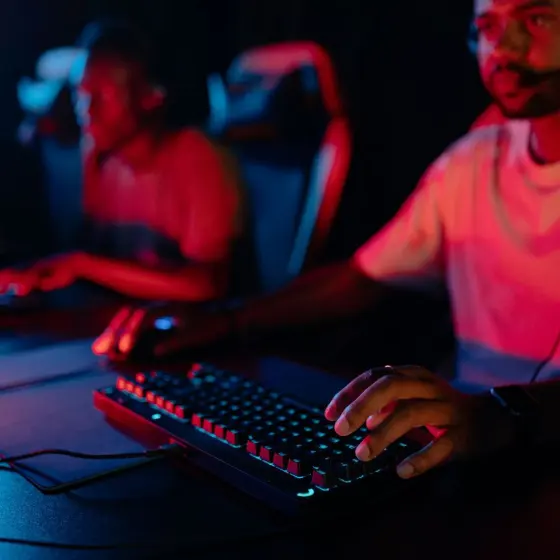
Staring at a wall of specs and worried about overspending? Here is how to choose a gaming monitor: match the refresh rate to the frame rates your PC or console really delivers, then pick panel and size.
You will find more hardware explainers in the gaming news and guides section of the site.
| Item | Value |
|---|---|
| Refresh-rate ceiling of PlayStation 5 Pro and Xbox Series X | 120 Hz at most |
| Frame rate that justifies a 240Hz monitor | Routinely above 90 fps |
| Refresh-rate sweet spot for the average PC gamer | 144Hz to 240Hz on a 1440p or 1080p panel |
| Size many esports players prefer | Around 24 inches |
| Size for immersive single-player games | 27 inches or higher |
| Resolution recommended in Adorama’s guide (December 2023) | 1440p |
These figures come from Engadget’s guide of Nov. 3, 2026 and Adorama’s guide, updated December 6, 2023. Specs and market numbers can change, so check the sources before you rely on them.
Start with the hardware you already own
Before you compare monitors, look at what you will plug one into. Your graphics card or console sets the ceiling for how much resolution and refresh rate you can actually use.
Engadget’s November 2026 guide says that if your PC has an NVIDIA GeForce RTX 5090 or 5080, you have real reasons to consider a top-shelf monitor with a 4K panel and an ultra-high refresh rate. With an older or lower-powered GPU, the advice is to think about the performance you will really get in the games you play.
The same guide gives a simple rule: if you aren’t routinely seeing frame rates above 90 fps, there is no reason to invest in a 240Hz monitor. It also points out that resolution and refresh rate move in opposite directions. Players of competitive shooters such as Valorant should sacrifice pixels for higher frames, while players of visually rich games can make the opposite trade.
How to measure your real frame rates
Guessing is the quickest way to overspend. Engadget suggests this routine:
- Turn on the Steam, NVIDIA or Xbox in-game overlay and enable its small frame rate counter.
- Play several games that represent your usual tastes. Some, including Cyberpunk 2077, have built-in benchmark tests, and a tool like 3DMark also works.
- Note where you saw the highest frame rates, and shop for a refresh rate you can reach.
Even if your current monitor can’t show high frame rates, the counter still reports what your graphics card is producing.
Which refresh rate do you actually need?
Engadget calls refresh rate often the most essential specification and the first thing to settle. If the term is new to you, our explainer on what is refresh rate covers the basics.
Monitors are now shipping with up to 1,000 Hz in lower-resolution modes, but that is far beyond what most systems can feed. Engadget notes that the average PC gamer in September 2026 was running an RTX 5070, 5060, 4060 or even a 3060, according to the Steam Hardware Survey. For that gamer, the sweet spot is likely 144Hz to 240Hz on a 1440p or 1080p panel.
Adorama’s guide, updated December 2023, agrees on the low end: 144Hz is becoming the standard, and you can go higher for action-packed entertainment. If you play lightweight competitive games on a mid-range card, Engadget suggests looking at a 1080p panel with a significantly higher frame rate.
Console players
As of Engadget’s November 2026 guide, even the best current-generation consoles, the PlayStation 5 Pro and Xbox Series X, don’t exceed refresh rates of 120 Hz. Your money is better spent on a larger or higher-resolution monitor than on blistering speed you will never use.
If you are weighing streaming instead of buying new hardware, what is cloud gaming is a useful side read.
Size, resolution and aspect ratio
Size and resolution are personal preferences, and they are linked. At the same resolution, the smaller monitor has a higher pixel density, which means finer image detail.
- Around 24 inches: often preferred by esports players who want to see everything at once.
- 27 inches or higher: suits single-player gamers who value immersion and want room to multitask, though you should sit farther back.
- Higher resolution: also helps if you edit photos or video, or watch a lot of video.
On resolution, Adorama’s December 2023 guide recommends 1440p and calls 4K an affordable upgrade. Which one fits depends on the frame rates you measured earlier.
For shape, 16:9 widescreen is the de facto aspect ratio for gaming, according to Engadget. Ultrawide monitors fill your peripheral vision, but in games where HUD information is crucial they can force you to look away from the action.
Gaming monitor panel types: OLED, IPS, VA and TN
After refresh rate, resolution and aspect ratio, the panel is the biggest choice. Engadget says that for most gamers the two best choices are OLED and Fast IPS, in that order.
An OLED pixel makes its own light, so pixels stay truly black rather than turning dark grey as they do on LCD panels. That gives very high contrast, accurate colors and near-instant response times. The drawback is burn-in, a permanent ghost of a static image, which newer OLEDs fight with pixel-shifting and pixel-cleaning cycles.

Adorama’s guide, updated December 2023, adds that OLED image retention takes many thousands of hours and that the technology is very expensive in PC monitors. It describes IPS as the most common type, with the downfall of a lack of contrast and a truly rich black.
| Panel | Strength | Trade-off |
|---|---|---|
| OLED | Excellent contrast, black levels and motion clarity | Burn-in risk and high price |
| IPS | Bright colors, sharp detail, fast responses | Weaker contrast and blacks |
| VA | Better contrast ratio and darker blacks | Suffers when viewed from a side angle |
| TN | Lowest price and very fast pixel response | Limited contrast, view angle and color |
The panel comparison above draws on Adorama’s guide, updated December 6, 2023, and Engadget’s guide of Nov. 3, 2026. Panel prices and features change, so check the sources before you rely on them.
In short, TN suits a dedicated competitive setup on a tight budget, VA suits dark-scene lovers who sit centered, and IPS is the safe all-rounder.
Extras that are easy to overlook
Once the core specs are settled, a few details separate a good monitor from a frustrating one:
- Adaptive sync: Adorama calls it a must-have feature for gamers. Engadget also lists VRR technologies like G-Sync, alongside HDR, brightness and port selection.
- Mini-LED backlights: a backlight array rather than a panel type, found in IPS and VA monitors. The backlight zones can cause bright halos around objects, known as blooming.
- Stand: look for height and tilt adjustment, plus VESA mount support.
- USB-C: Adorama suggests it for bonus functionality.
Frequently asked questions
Is a 240Hz monitor worth it?
Show answer
Only if your system routinely delivers frame rates above 90 fps, according to Engadget’s November 2026 guide. Otherwise a lower refresh rate and a better panel make more sense.
Do consoles need a high refresh rate monitor?
Show answer
Not much. As of Engadget’s November 2026 guide, the PlayStation 5 Pro and Xbox Series X don’t exceed 120 Hz, so size and resolution matter more.
Should I buy OLED or IPS?
Show answer
Engadget’s November 2026 guide ranks OLED first and Fast IPS second for most gamers. Adorama’s December 2023 guide says IPS is the way to go for most people because OLED is very expensive, so budget and burn-in tolerance decide it.
Is an ultrawide monitor good for gaming?
Show answer
It can be immersive, but Engadget warns that in games where HUD information is crucial, an ultrawide display can force you to look away from the action.